Every conversation,
one inbox.
Bring your messages, your team, and a little AI help together. Spend less time switching tabs, and more time connecting with your customers.
Free during beta. Get started with your email.
Your customers are everywhere. Now you can be, too.
- Zalo OA
- Telegram
Less back-and-forth.
More moving forward.
A shared space for everything that happens between “hello” and “happy to help”.
One inbox. A clearer day.
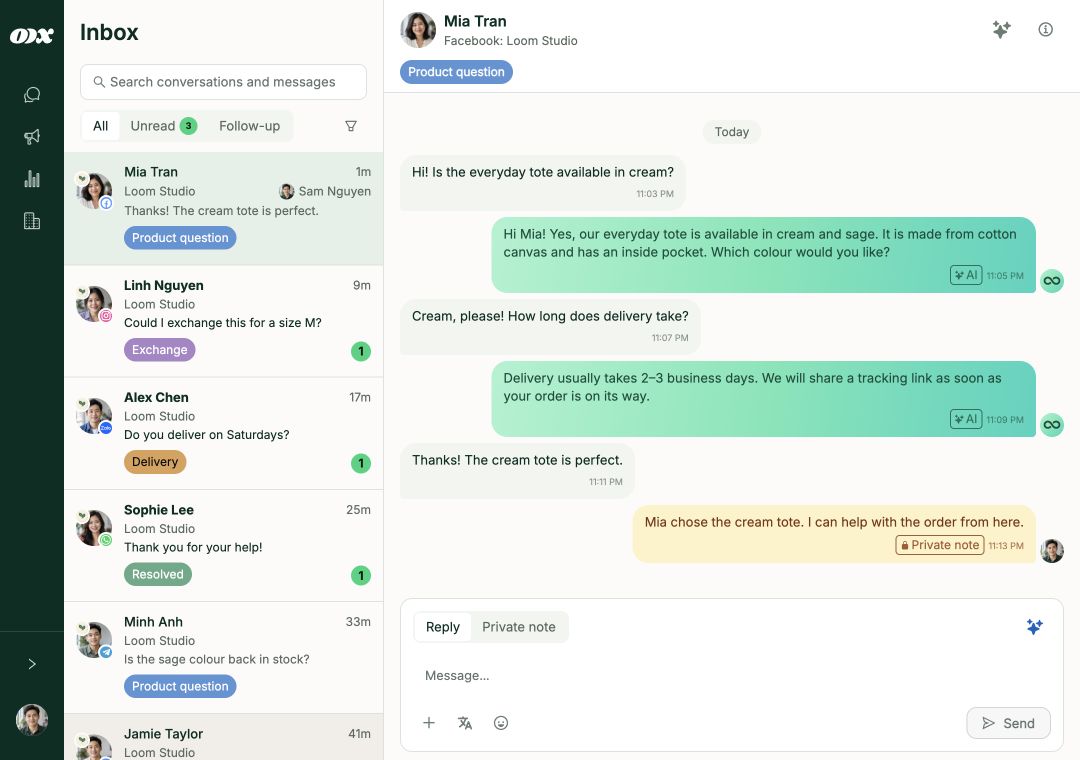
Facebook, Instagram, Zalo, and more. See the conversation, pick up the context, and reply from the same place.
Keep the whole conversation together.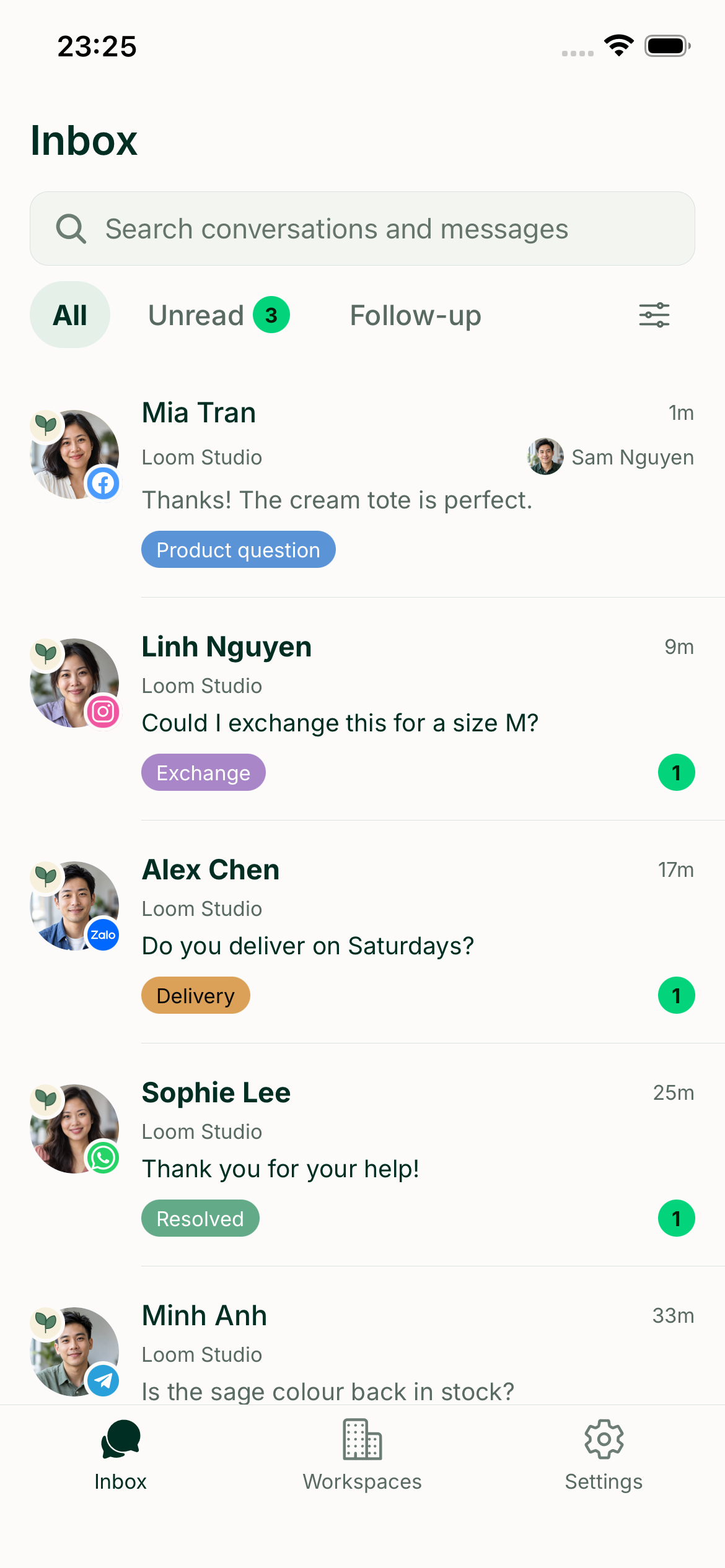
Good support
doesn’t sit still.
Reply to a customer, assign a conversation, or connect a channel from your phone. Keep advanced setup for the bigger screen.
- Conversations in your pocket
- Your team, a tap away
- Connect channels on the go
A few small steps.
A much smoother day.
Bring your channels
Create your workspace and connect the platforms your customers already use.
Make it yours
Invite your team. Add business knowledge if you’d like an AI assistant to help.
Keep the conversation going
Reply, hand off, and stay on top of the next message, together.
A little more to know.
Is Loopex free during beta?
Yes. Billing is turned off for the beta, so you can use the available features without a paid subscription.
Which platforms can I connect?
Loopex includes connections for Facebook and Instagram, WhatsApp, LINE OA, Zalo OA, Telegram Bot, TikTok, Gmail, and Outlook. The permissions and account requirements depend on each platform.
How does the AI learn about my business?
Add notes, documents, and website pages to your assistant’s knowledge. It searches those sources to help answer customer questions. You can review its replies in the playground before turning on automatic replies.
Can my team take over from the AI?
Yes. Your team can assign conversations, leave private notes, and take over replies when a customer needs a person.
Can I use Loopex on mobile?
Loopex is built for web, iOS, and Android. Mobile focuses on conversations and everyday work, including connecting channels. Use desktop web for advanced configuration.
How do I create an account?
Choose Start free, enter your email address, and verify the code sent to your inbox. Then set up your workspace and connect a channel.
Make room for
great conversations.
Let Loopex keep the threads together.
Start freeFree during beta. Get started with your email.